Plum Guide
A visual showcase of tools for hosts
Plum Guide is a curated collection of the world's best holiday homes. Only around 3% of homes in a destination pass its 150-point Plum Test, so every host on the platform matters.
From 2021 to 2022, I led design for the Host squad, improving the tools hosts use to manage their homes and day-to-day operations. I designed across search, earnings, calendars, bookings, amenities and navigation, making the core workflows of the host dashboard easier to use and more consistent, and worked with product and engineering from discovery through to delivery.
This is a selection of that work.
- Role
- Product Designer
- Product
- Plum Guide host tools
- Platform
- Web desktop & mobile
- Years
- 2021–2022
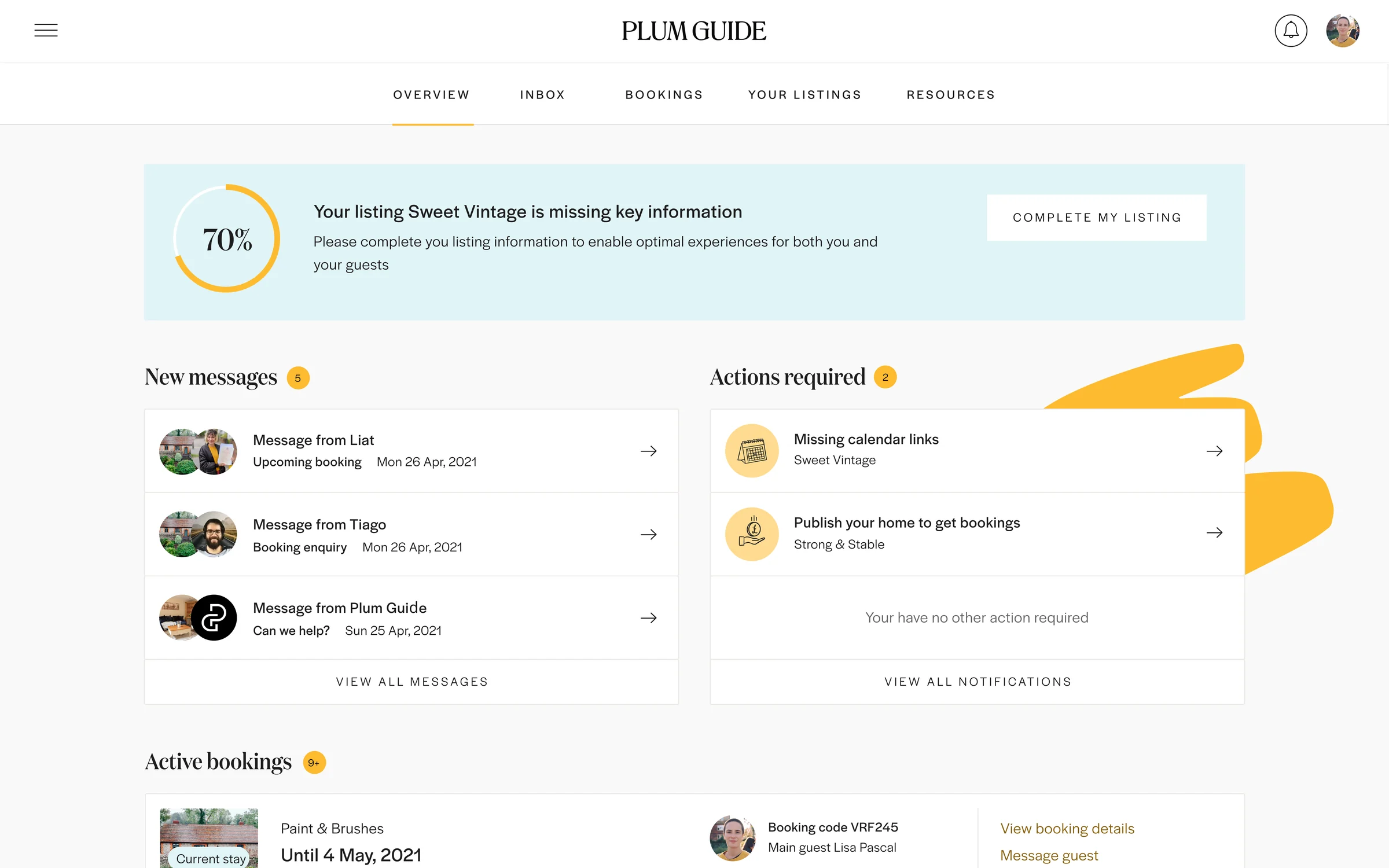
Calendar & pricing
Availability and price, managed in one place.
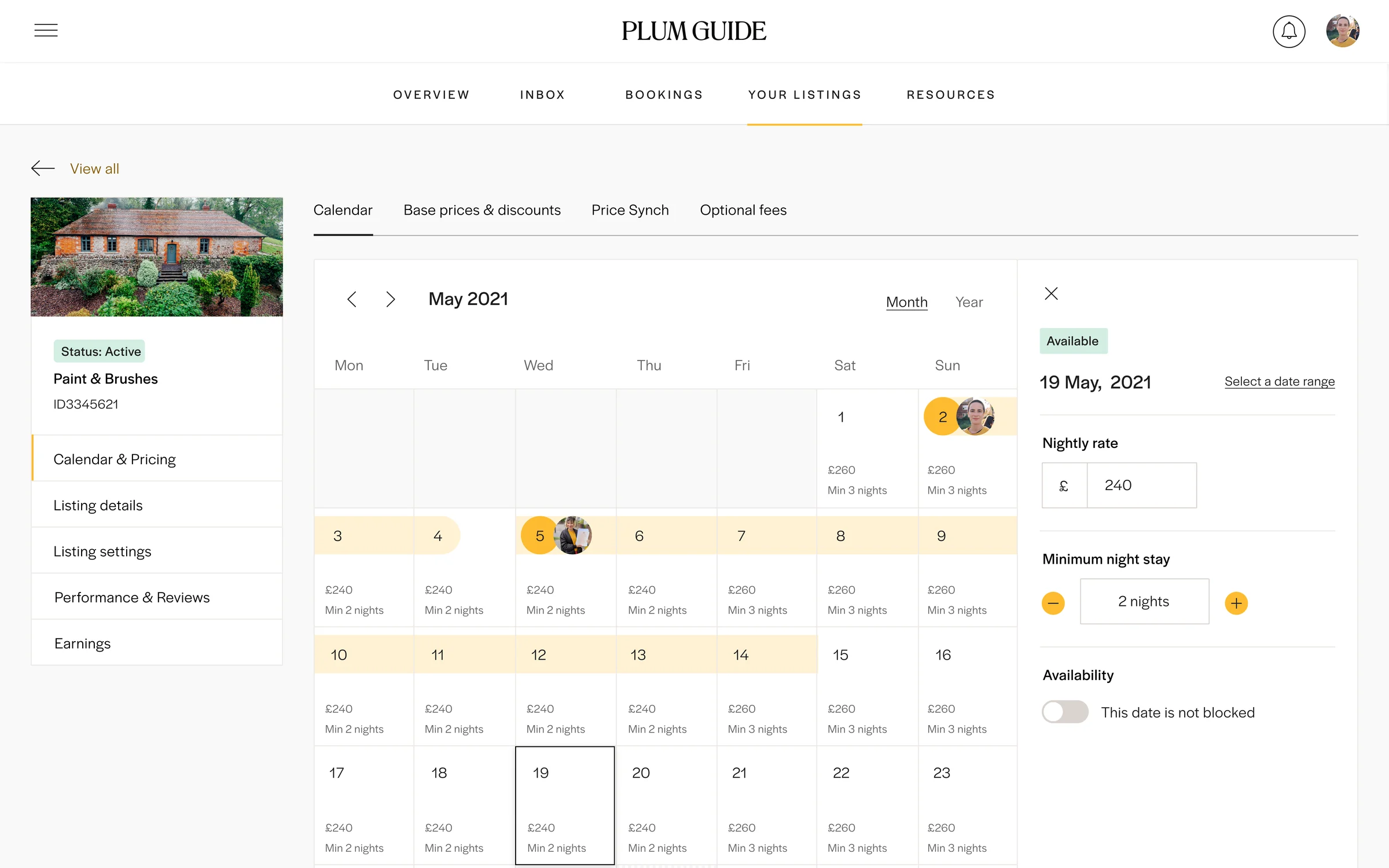
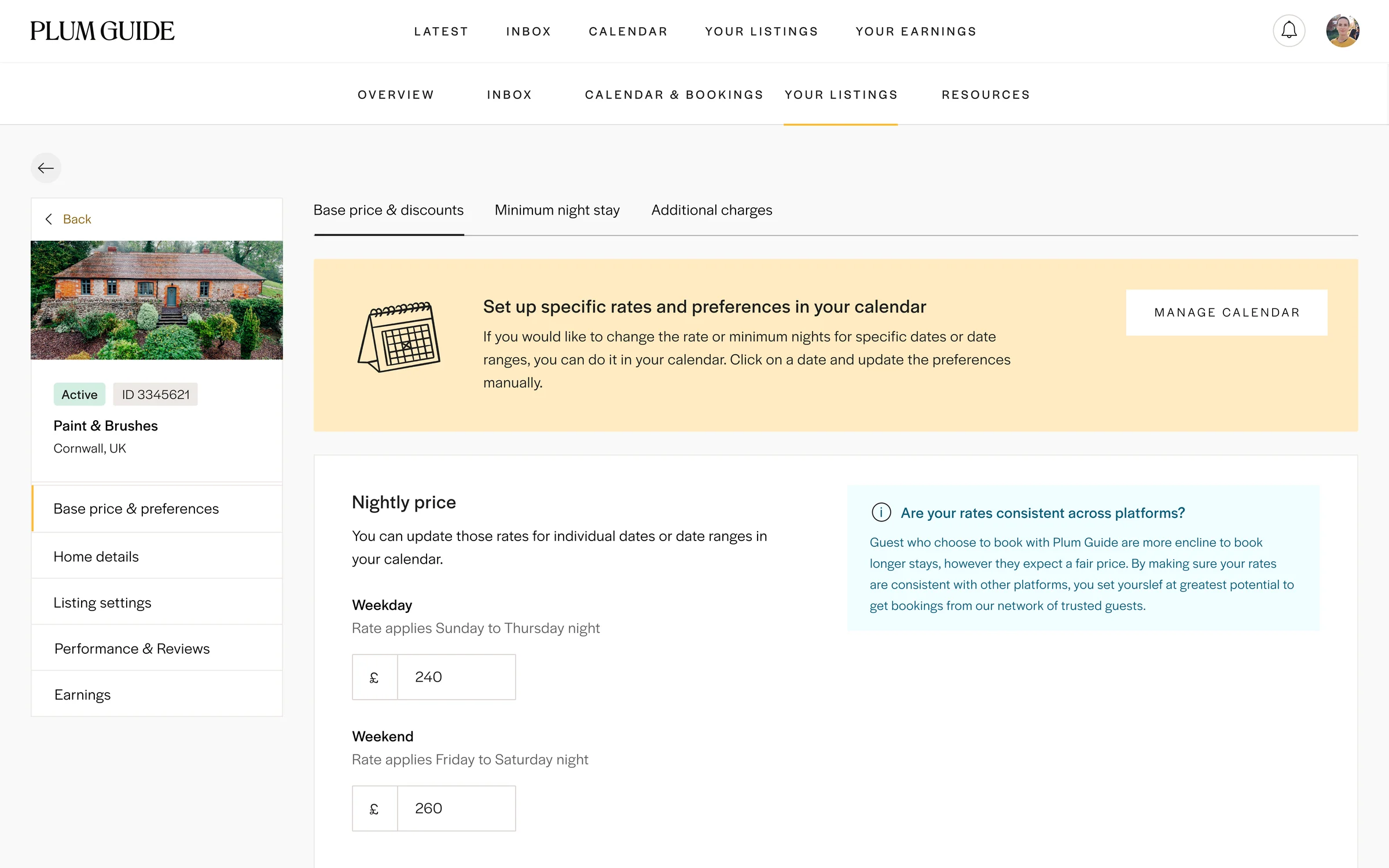
The calendar showed bookings and guests across the month, with each day's nightly rate and minimum stay editable in place. Base prices, long-stay discounts and additional charges sat alongside it, with guidance on keeping rates consistent across the other platforms hosts list on.
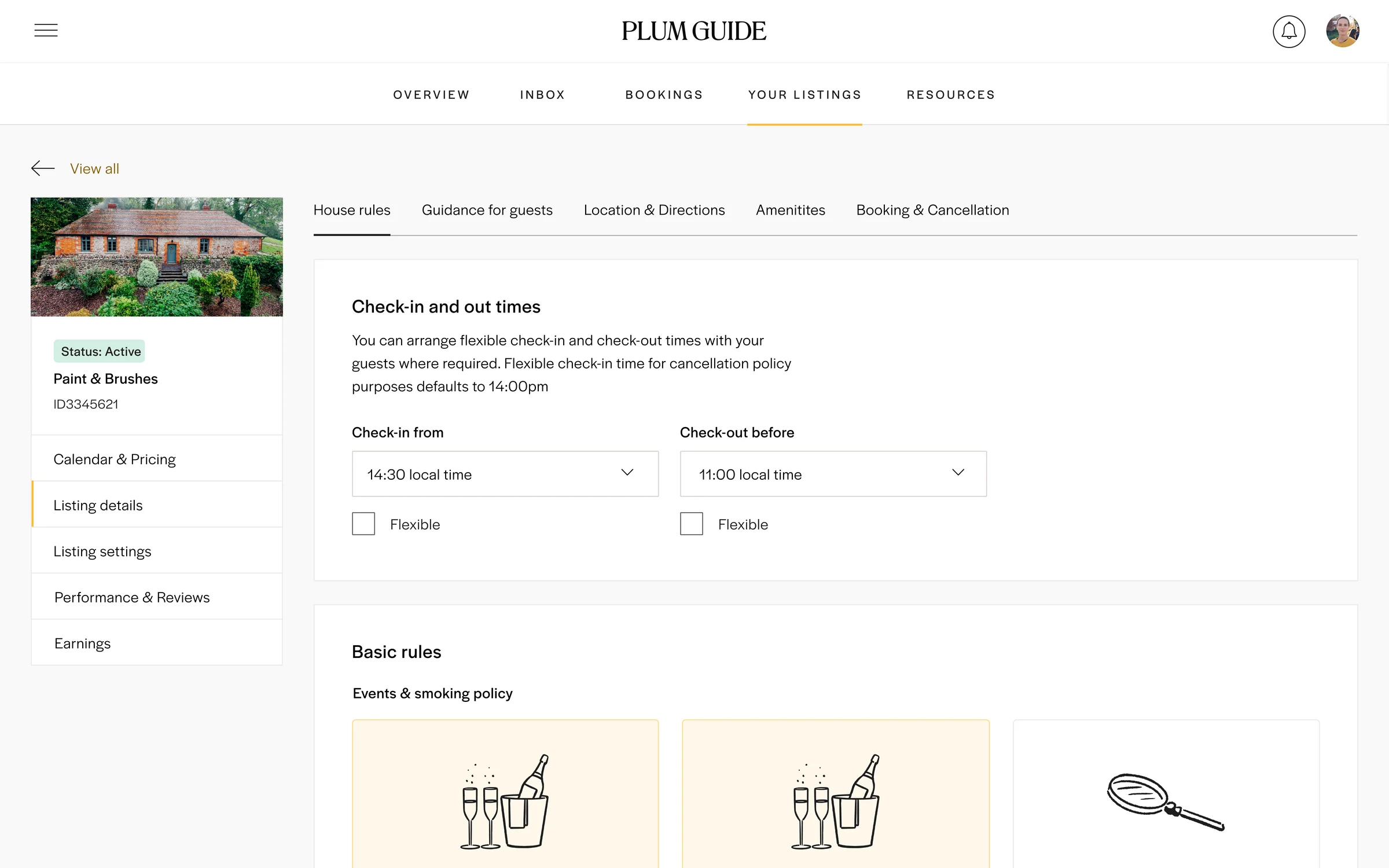
Listing details
Making the detail quick to get right.
Every Plum Guide home has a lot of detail behind it: check-in times, house rules, amenities, guidance for guests. Illustrated choices for policies like events, smoking, children and pets made the most common rules quick to set, leaving free text for anything specific to the home.
Managing homes
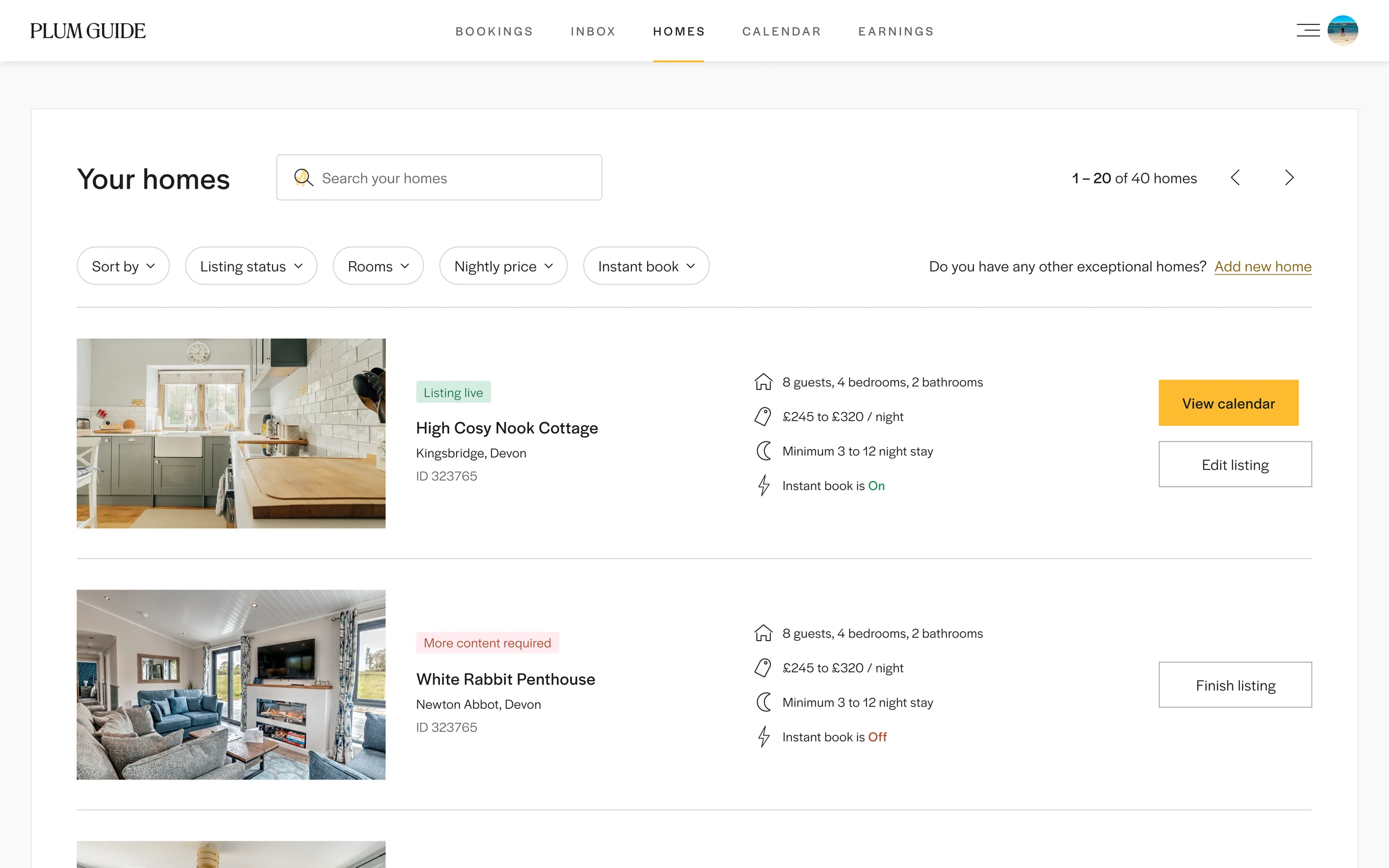
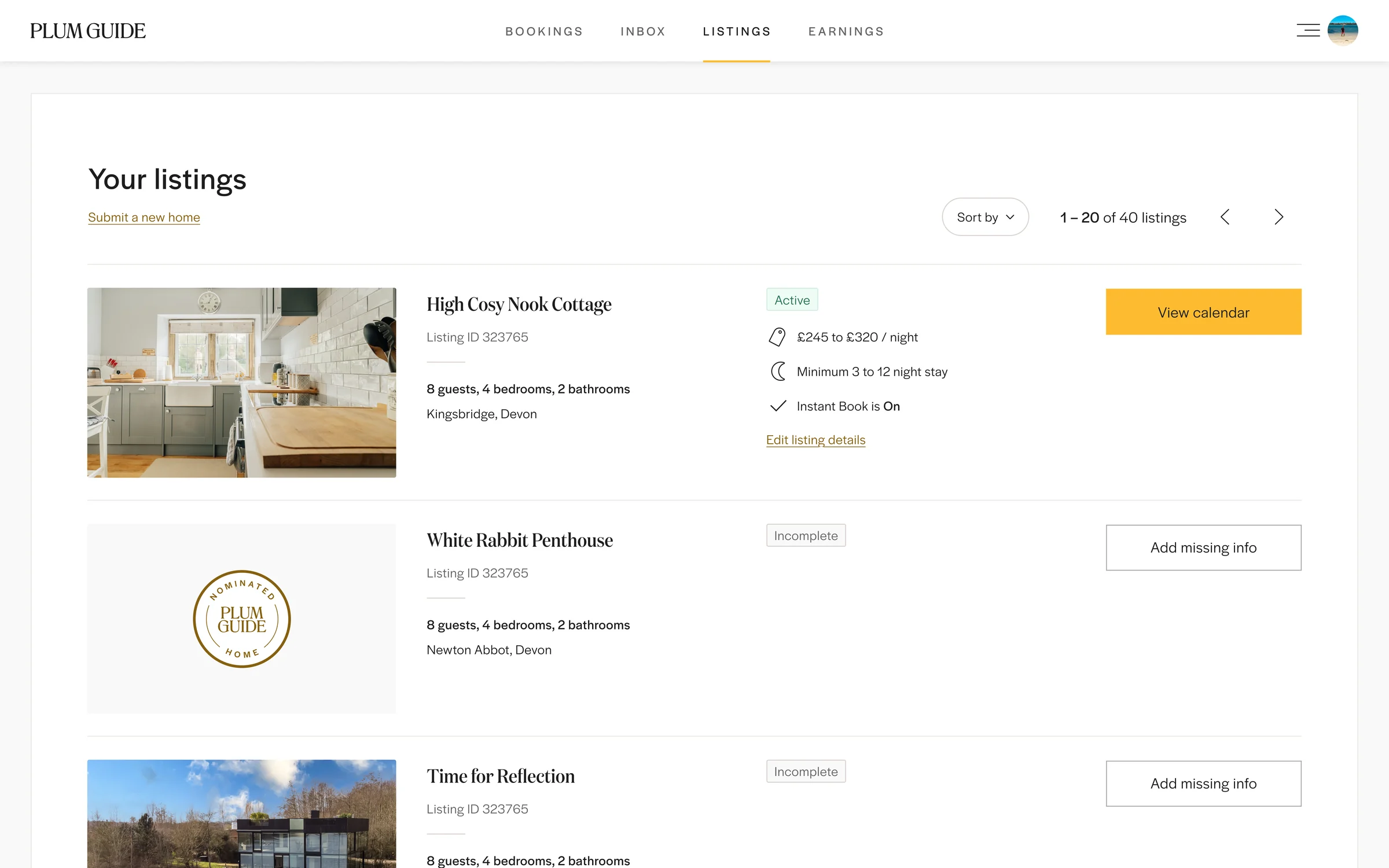
Every home's status, and the next step, in one list.
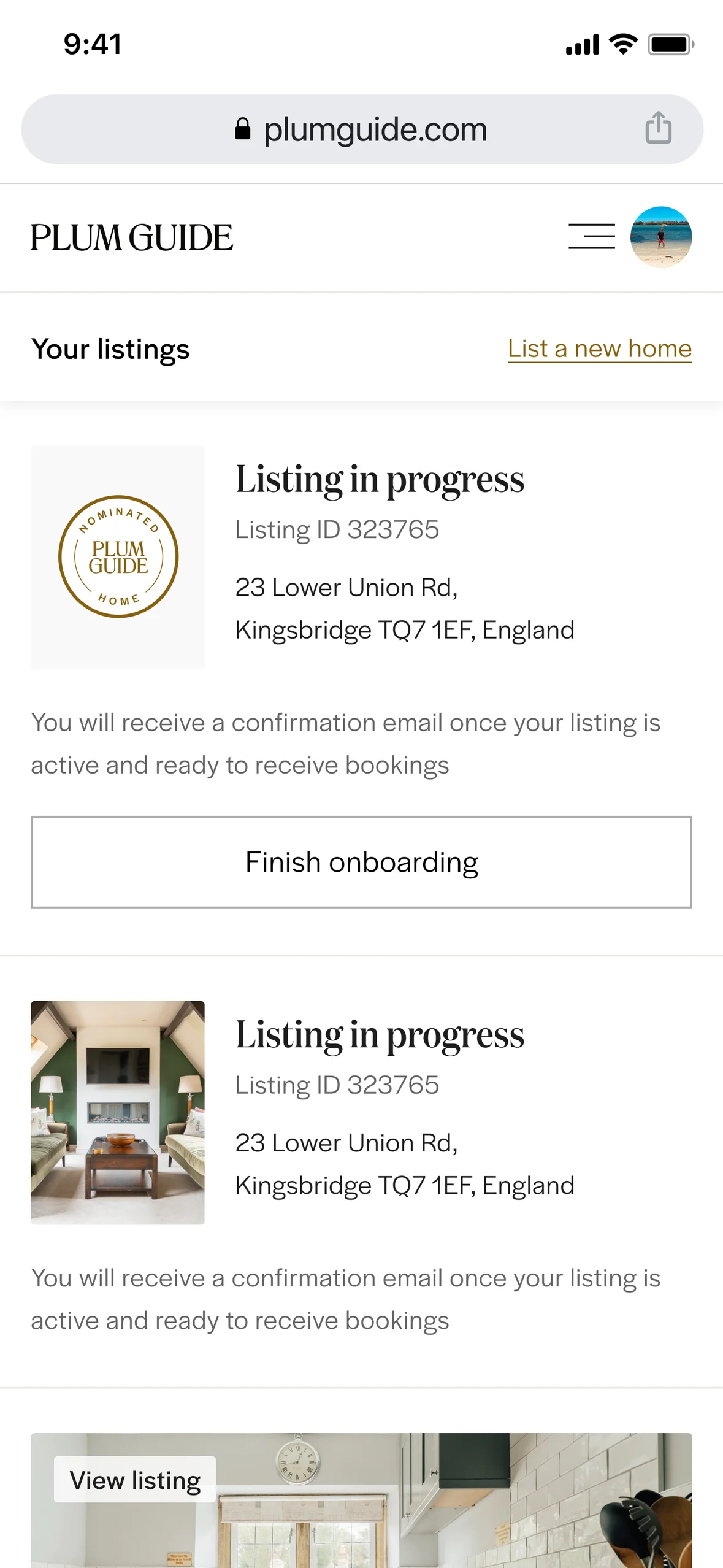
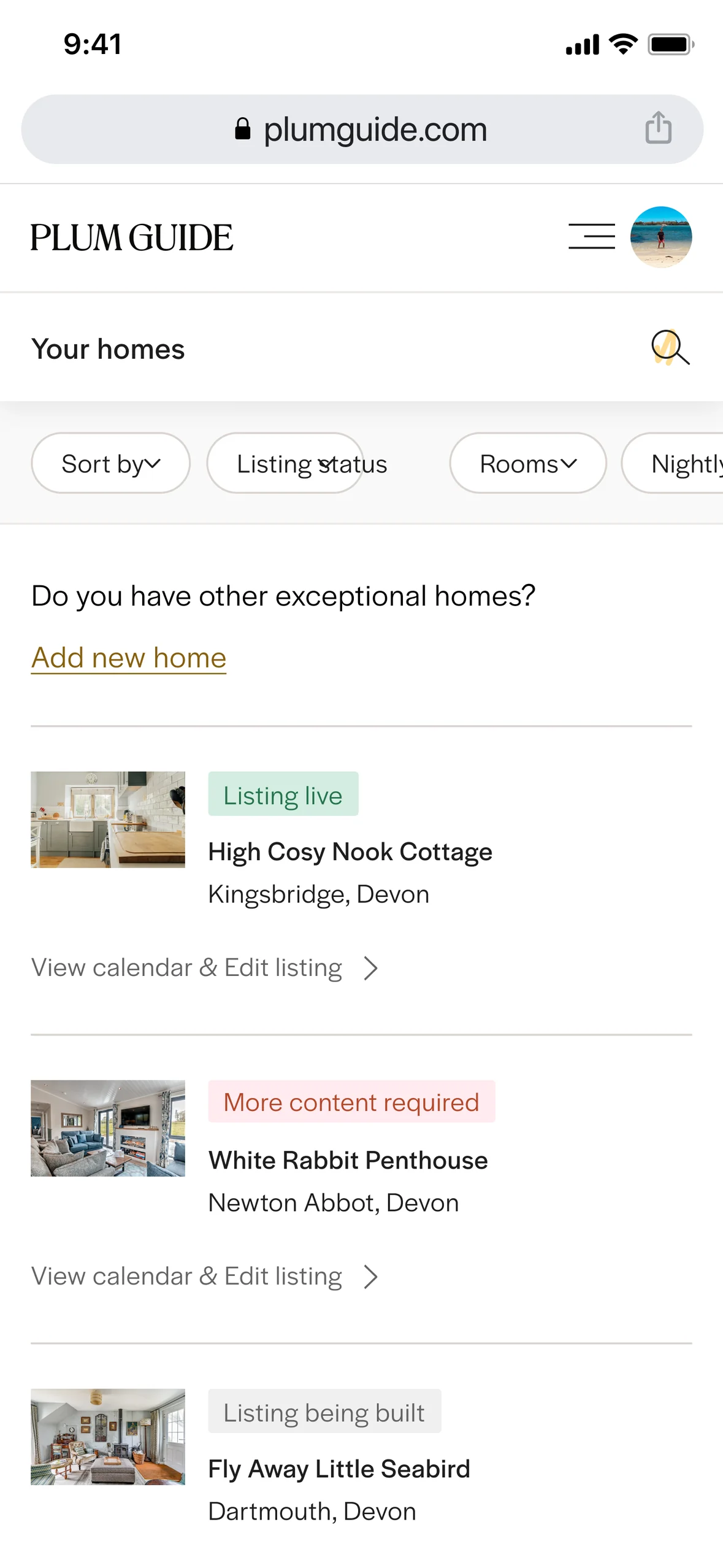
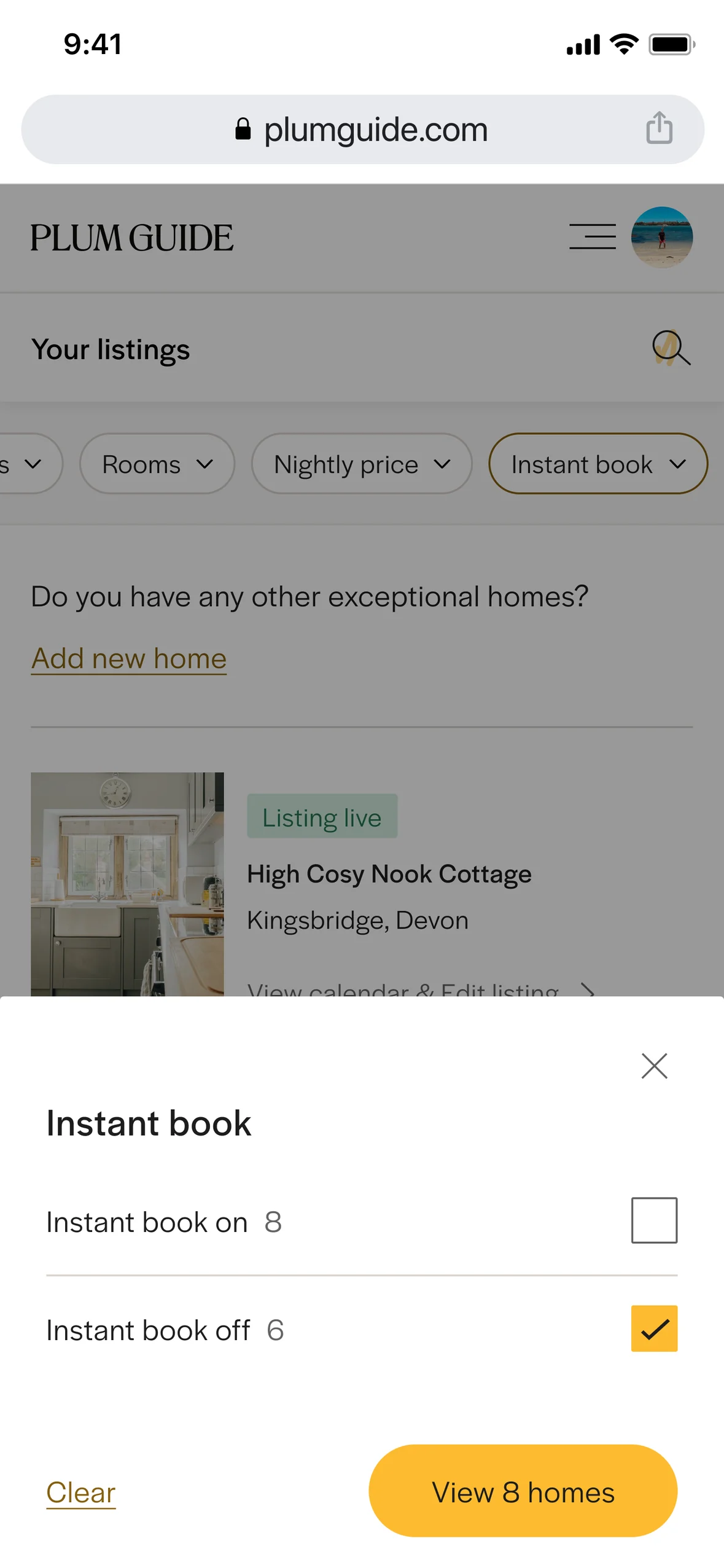
Hosts with several homes needed to see where each one stood: live, waiting on information, being built or hidden. The listings view showed each home's status alongside the action it needed, with filters for status, rooms, price and instant book.
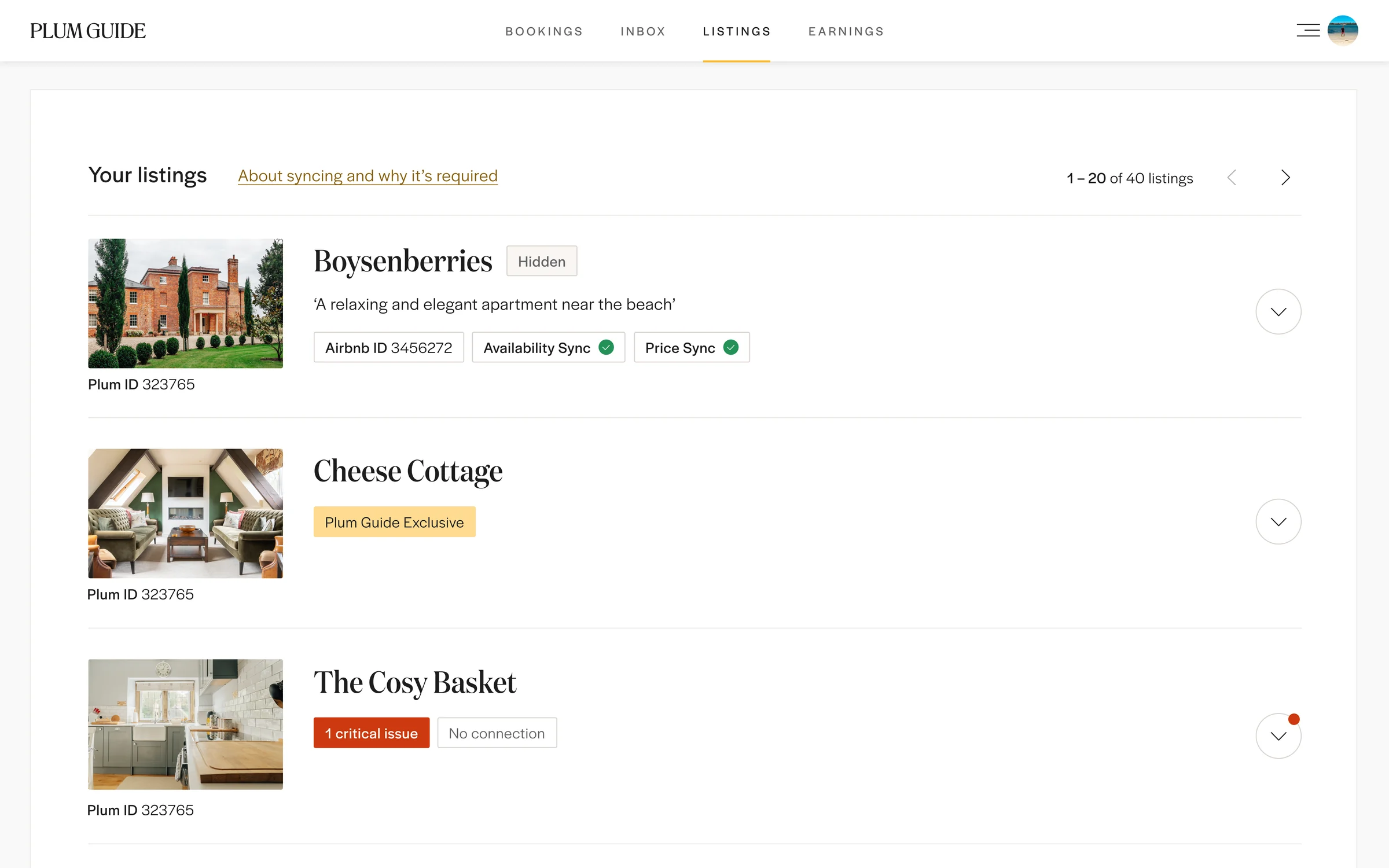
Many hosts also list their homes on Airbnb or run them through a channel manager, so the listings view had to show which homes were connected to other platforms and calendars, and flag clearly when a connection had broken or prices had fallen out of sync. Without that, a missed update could mean a double booking or the wrong price for a guest.
On mobile
The same tools, wherever hosts are.
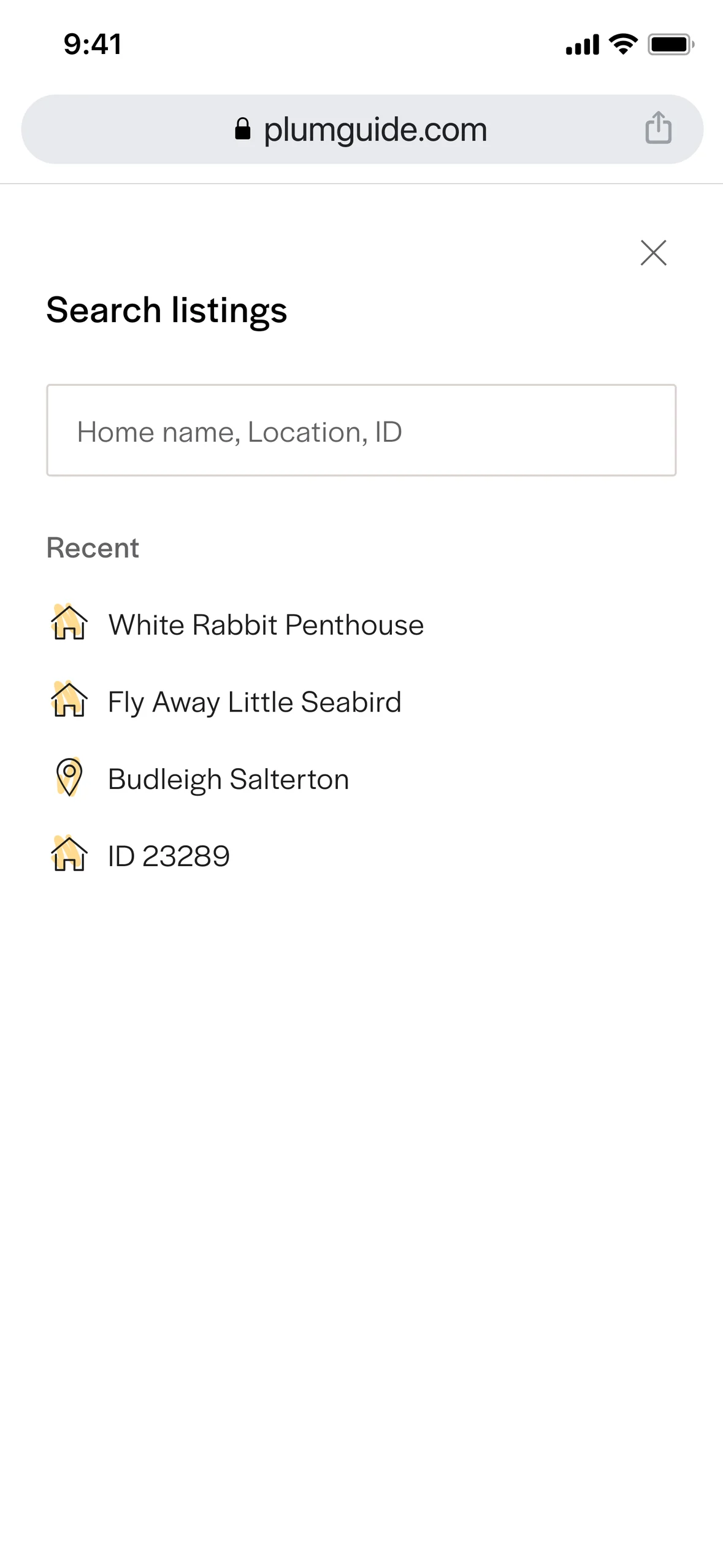
Hosts often manage their homes on the go, so the same workflows were designed for mobile: browsing listings, filtering with simple bottom sheets and searching by home name, location or ID.